Apple Watch Quick Tip: Apple Pay

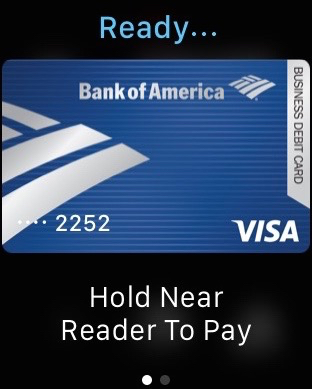
You just double tap the side button and then hold it up to the terminal.
Now here’s the backstory:
I was so excited. Got my Apple Watch, I made sure to add my Apple Pay accounts from my iPhone and I was ready to go. There I was, standing at the checkout when I realized it. I didn’t know how to actually make Apple Pay happen with my watch. I brought it up to the terminal, no go. I pushed the screen, no go. I turned the dial. Nope. I even tapped the side button once.
Its easy, but Apple Watch will take you a week or so to get used to. We’ll post little tidbits here for you to help shorten that week.
.
Not sure your Macs are ready for what’s next?
Book a free, no-pressure call. We’ll review your fleet, flag what needs attention, and you’ll leave with a plan either way.
Let’s Talk →Apple news worth your inbox.
One monthly note on the updates that actually affect your workplace. No noise.
Keep reading
For Moments of Joy, Use watchOS 11’s Photos Watch Face
Check out Apple’s Built-in Tips App For Useful Info and Helpful How-tos