
Here’s How You Can Turn Off Inline Predictive Text Suggestions
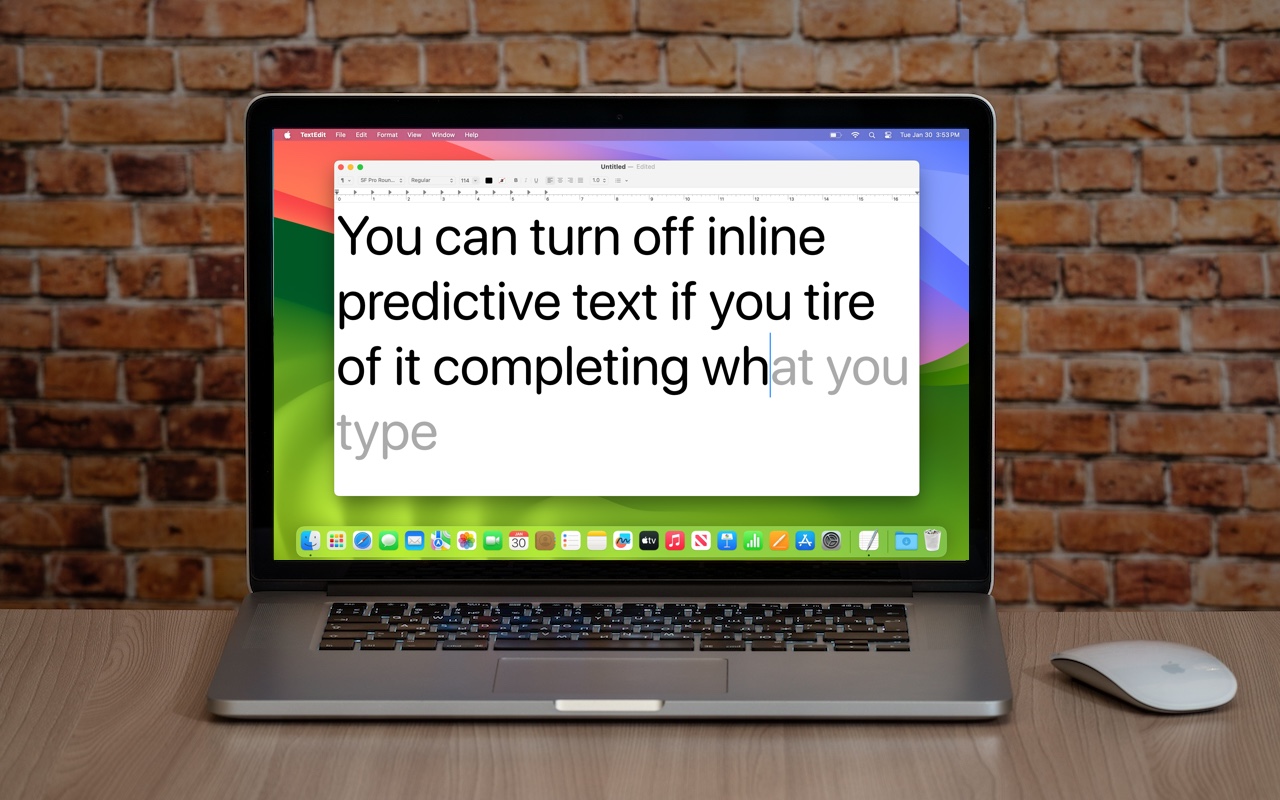
If you’re not a fan of the new inline text predictions on your iPhone, iPad, or Mac, you can easily turn them off and get back to typing only the words you want to appear.

Here’s How You Can Turn Off Inline Predictive Text Suggestions
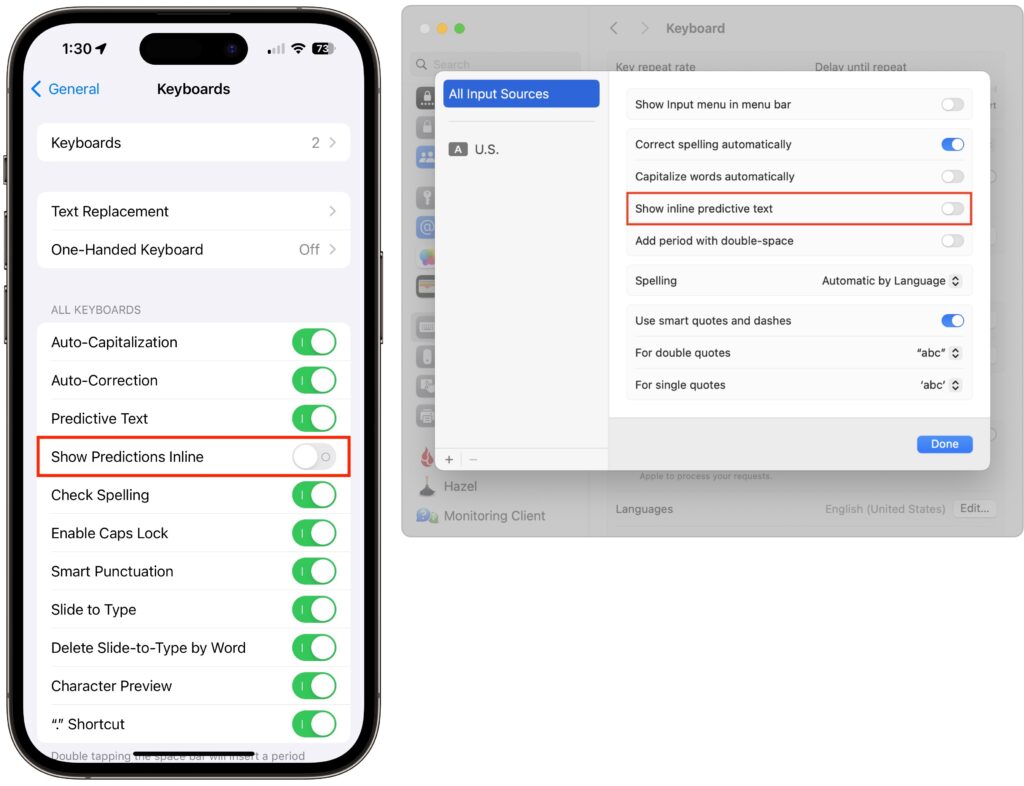
In a slight nod to the hype surrounding generative AI, Apple added inline text prediction capabilities to the iPhone, iPad, and Mac. They can be helpful, particularly on the iPhone and iPad, where it’s often much easier to tap the Space bar than to finish typing a word or sentence. But that’s less true on the Mac, where a fast typist can be slowed down or derailed by the suggestions, and some people dislike having an AI finish their thoughts. The feature is easily turned off. On the iPhone and iPad running at least iOS/iPadOS 17.2, go to Settings > General > Keyboard and switch off Show Predictions Inline. (Leave Predictive Text on to continue to get suggestions above the keyboard.) On the Mac running macOS 14.2 Sonoma or later, open System Settings > Keyboard, click Edit under the Text Input header, turn off “Show inline predictive text,” and click Done.
(Featured image based on an original by iStock.com/Armastas)
More to check out
- Tips for Setting Up a Comfortable and Effective Home Work Space
- Need to Stay in Touch? Try One of These Videoconferencing Apps
- How to Ask for Tech Support So You Get Good Answers Quickly
- Audiovisual Tips for Better Video Conferencing
- Need to Schedule a Group Meeting or Sign Up Volunteers? Try Doodle!
- What is a UPS and how do you choose one?
Not sure your Macs are ready for what’s next?
Book a free, no-pressure call. We’ll review your fleet, flag what needs attention, and you’ll leave with a plan either way.
Let’s Talk →Apple news worth your inbox.
One monthly note on the updates that actually affect your workplace. No noise.
Keep reading

Intel-Based Apps Will Stop Working in macOS 28

Be Alert for Deepfake Phishing Scams
