
The iPhone 11 Camera App’s Shutter Button Works Differently—Here’s How


The iPhone 11 Camera App’s Shutter Button Works Differently—Here’s How
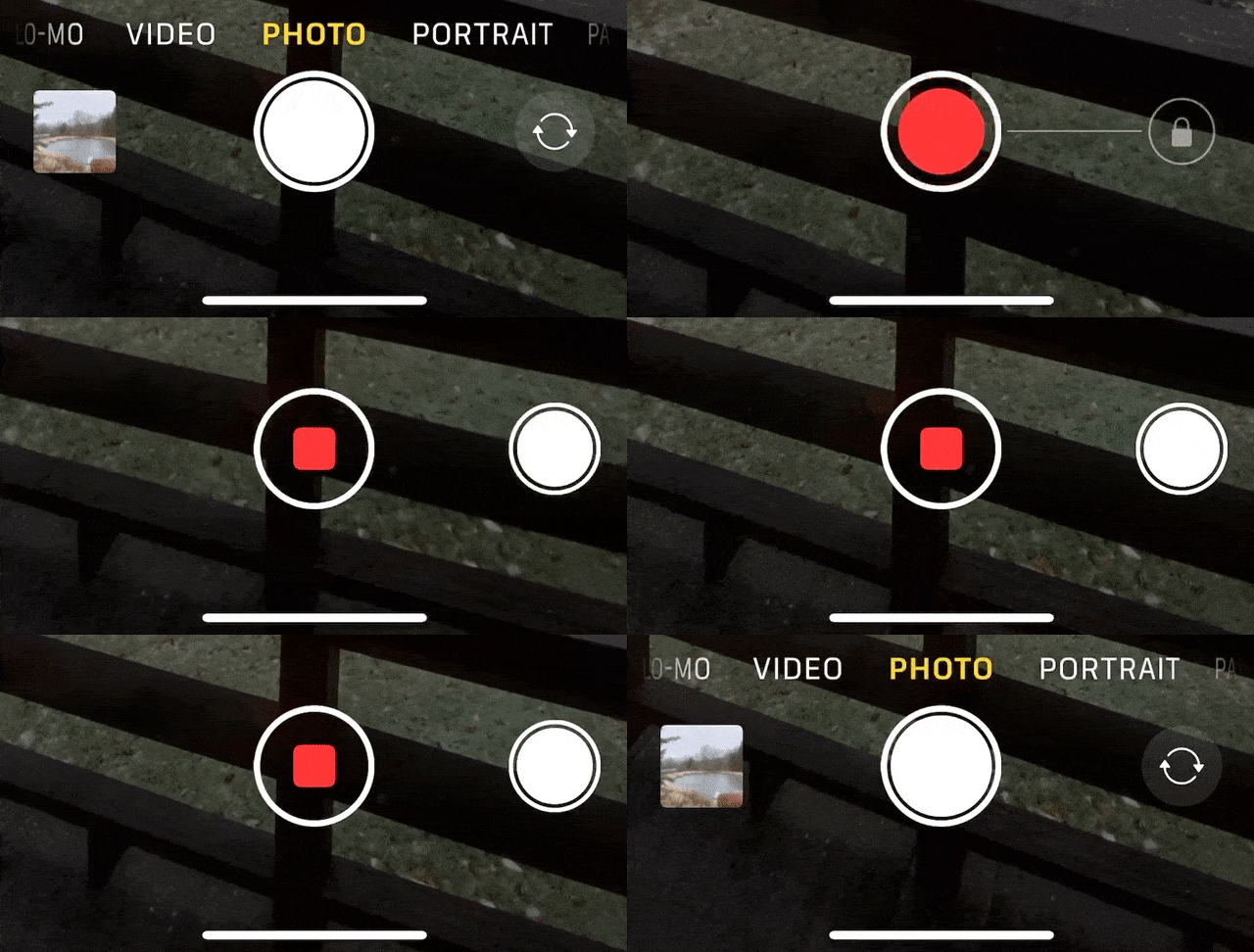
With the iPhone 11, iPhone 11 Pro, and iPhone 11 Pro Max, Apple changed the way the Camera app’s shutter button works in ways that could cause confusion. Tapping it once still takes a single still photo, but if you press and hold on the shutter button, it now captures a quick video. (Previously, pressing and holding on the button took photos in burst mode; to do that on the iPhone 11 models, slide the shutter button to the left.) Once you’ve started taking a quick video, slide your finger to the right to lock recording, so you don’t have to keep holding the button down. Tap the white shutter button to take a still image while recording; tap the red record button to stop recording. For even easier quick video recording, press and hold either of the volume buttons; a single press still takes a photo. Note that quick videos always record with mono sound and at a resolution of 1920-by-1440; for stereo sound and the resolution set in Settings > Camera, use the Camera app’s Video mode.
(Featured image by Agê Barros on Unsplash)
A few of the 437 times we talked about cameras.
(Just kidding… or are we?)
- Tired of Skewed Lines in Your Photos? Use the Camera App’s Hidden Level.
- Use Continuity Camera to Scan Documents and Take Photos Right into Mac Documents
- Remember That You Can Search for Nearly Anything in Your Photos Library
- The Secret Keyboard Shortcut for Comparing Before/After Edits in Photos on the Mac
Not sure your Macs are ready for what’s next?
Book a free, no-pressure call. We’ll review your fleet, flag what needs attention, and you’ll leave with a plan either way.
Let’s Talk →Apple news worth your inbox.
One monthly note on the updates that actually affect your workplace. No noise.
Keep reading

Intel-Based Apps Will Stop Working in macOS 28

Be Alert for Deepfake Phishing Scams
