Tired of Skewed Lines in Your Photos? Use the Camera App’s Hidden Level.

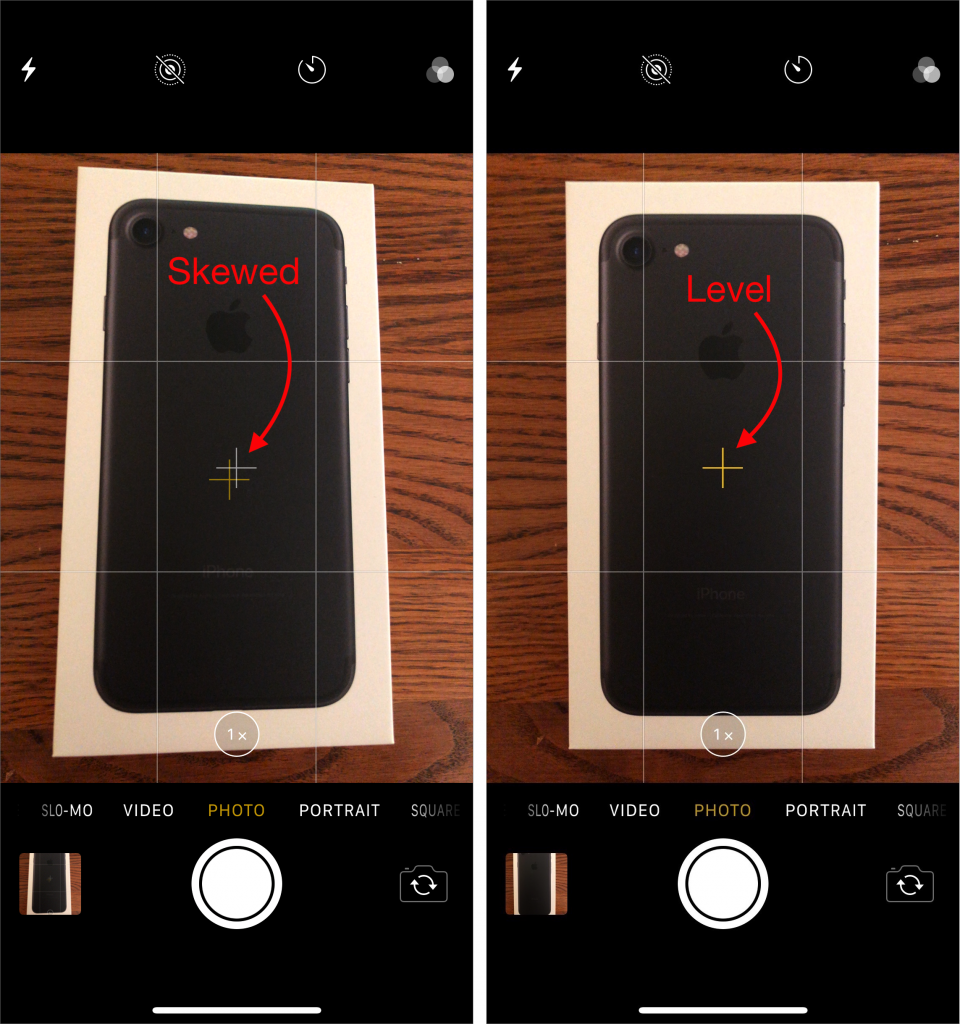
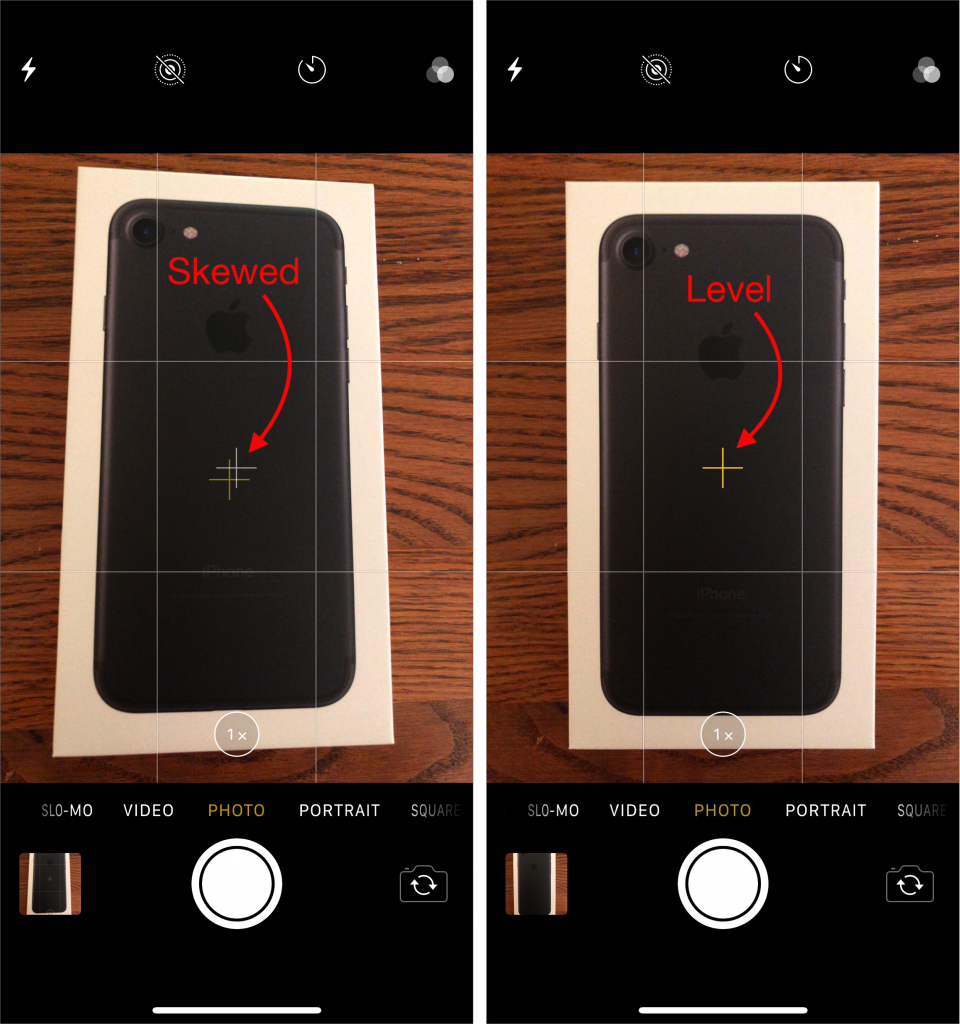
If you’ve ever photographed a sheet of paper or some other rectangular object, the image may have come out skewed because you inadvertently tilted the camera. The iOS 11 Camera app has a level feature to help you avoid this problem, but it’s so subtle that you may not have noticed it. To use it, first go to Settings > Camera and turn on the Grid switch so thin white lines divide the viewfinder image into a grid of nine rectangles. Then, to access the level, hold the iPhone or iPad flat, so the camera points straight down toward the floor (or straight up toward the sky, if you’re photographing a ceiling). Notice that two crosshairs appear in the middle of the viewfinder, a yellow one that marks the position where the camera will be level and a white one that shows the camera’s current angle. Tilt the camera until the crosshairs merge into a single yellow image, and tap the Shutter button.
Not sure your Macs are ready for what’s next?
Book a free, no-pressure call. We’ll review your fleet, flag what needs attention, and you’ll leave with a plan either way.
Let’s Talk →Apple news worth your inbox.
One monthly note on the updates that actually affect your workplace. No noise.
Keep reading

Upgrade Guide (2025): iPhone 13 Pro, 14 Pro, and 15 Pro → 17 Pro, 17, or Air

In Find My, You Can Now Share the Location of Lost Items