
iOS
Tired of “Sent from my iPhone” as Your Email Signature?

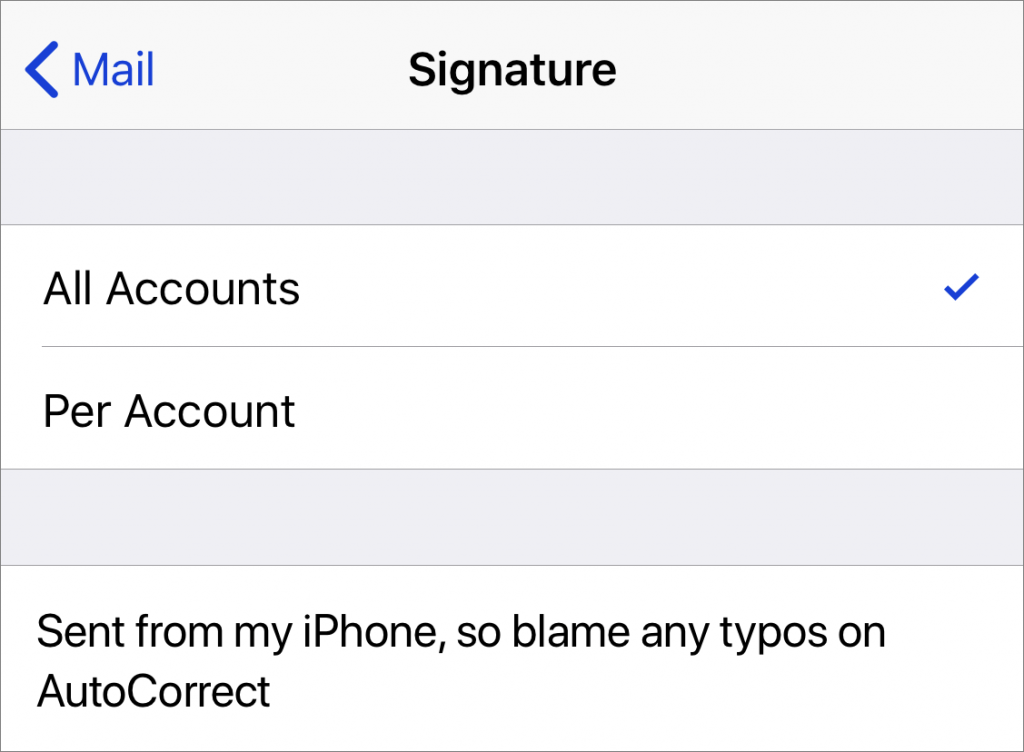
When you use Apple’s Mail app on your iPhone to send email, the default signature is “Sent from my iPhone.” If you’d rather not advertise that fact with every email, or would prefer to change it to something more personal, don’t bother poking around in the Mail app itself. Instead, go to Settings > Mail > Signature, where you can change the signature to anything you like or delete it entirely. If you have multiple email accounts configured, such as one for work and one for home, you can also set a different signature for each.
Apple Premium Technical Partner
Deep Apple expertise, wherever your team works.
Not sure your Macs are ready for what’s next?
Book a free, no-pressure call. We’ll review your fleet, flag what needs attention, and you’ll leave with a plan either way.
Let’s Talk →The CreativeTechs Way
Apple news worth your inbox.
One monthly note on the updates that actually affect your workplace. No noise.
Keep reading

iOS
In Find My, You Can Now Share the Location of Lost Items
May 6, 2025 · 2 min read

iOS
Use Keyboard Shortcuts to Easily Insert Emojis
July 11, 2024 · 1 min read

Explainer
For Best Results, Keep Operating Systems Current
March 14, 2024 · 5 min read