Preparing Your Organization for a Possible COVID-19 Quarantine
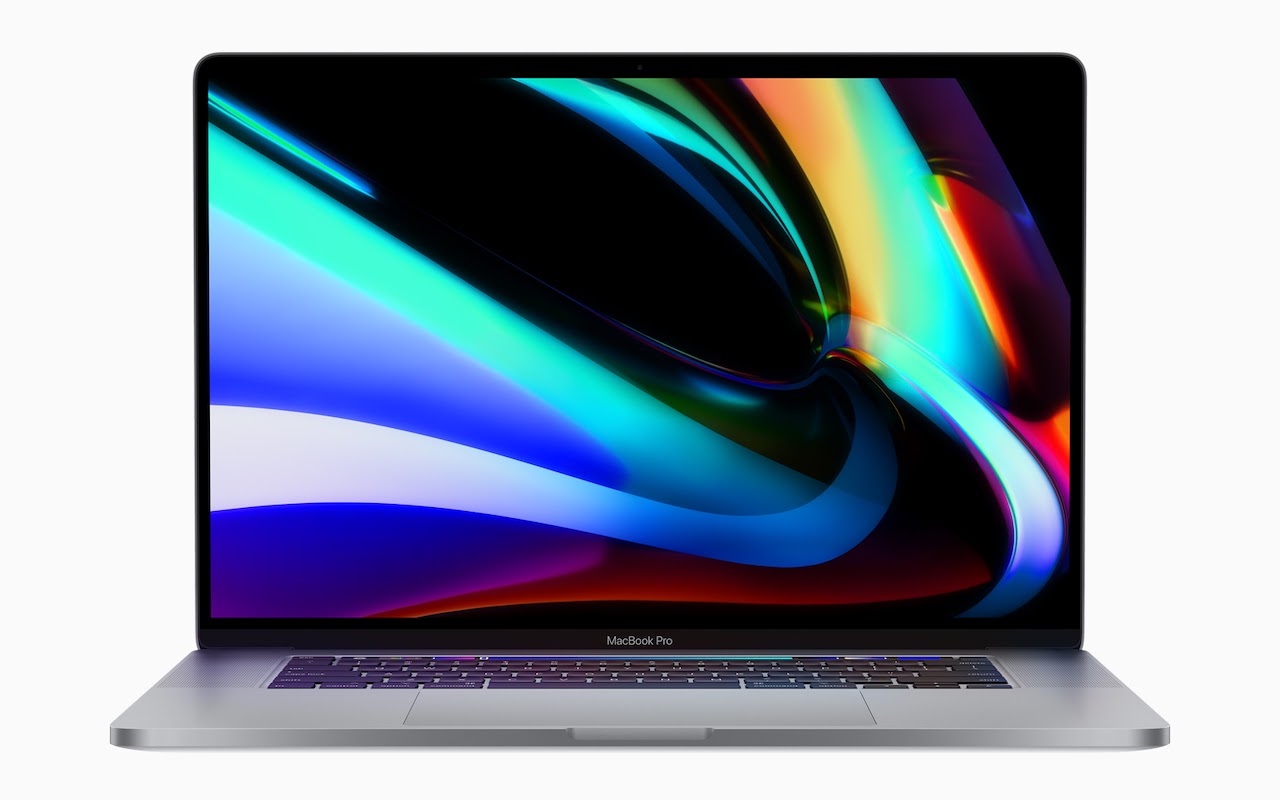
New 16-inch MacBook Pro Sports a Redesigned Scissor-Switch Keyboard
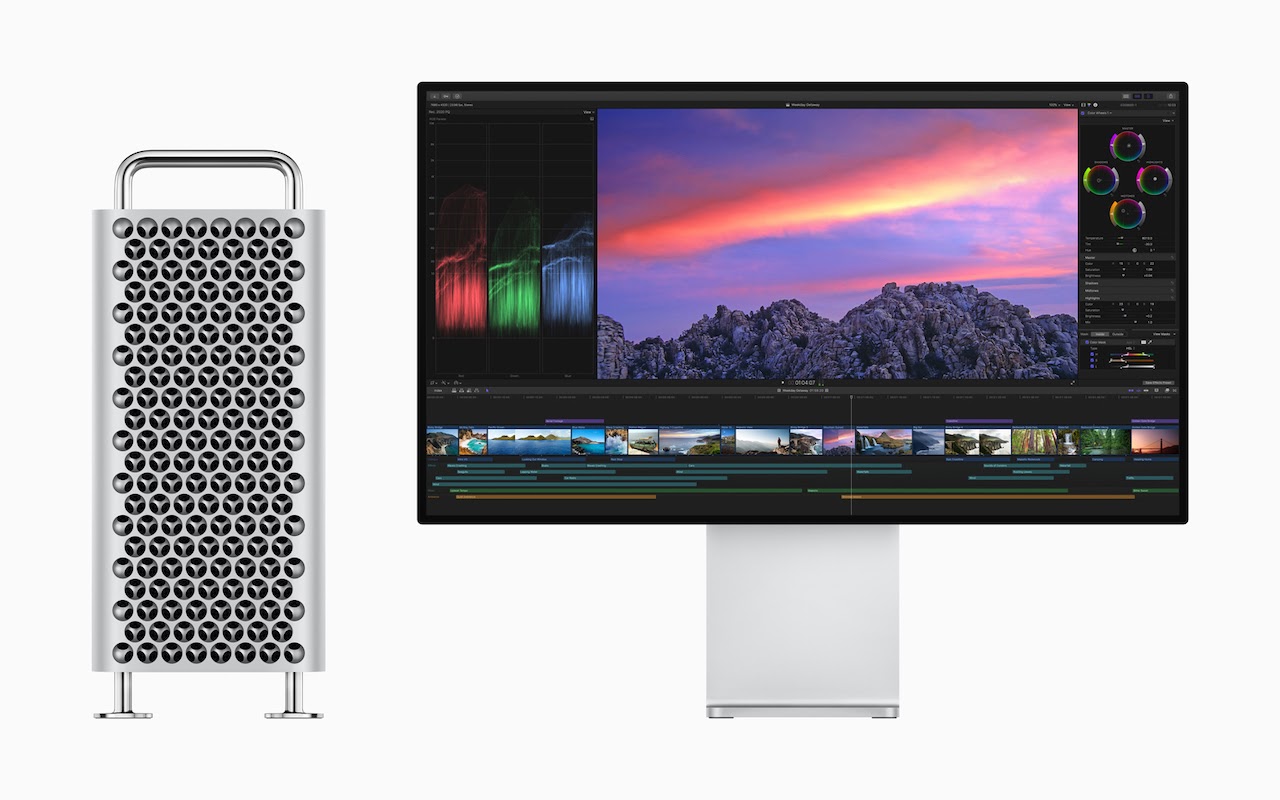
Apple Releases Redesigned Mac Pro and Pro Display XDR
The Scoop on the New iPhone 11, Apple Watch Series 5, 7th-gen iPad, and Apple Services
Here’s What’s Coming from Apple in 2019
At Apple’s Worldwide Developer Conference on June 3rd, the company unveiled the next versions of all its operating systems—macOS 10.15 Catalina, iOS 13 (and a new iPadOS), watchOS 6, and tvOS 13–along with the much-anticipated new Mac Pro and Pro Display XDR.
Nothing that was announced will ship until later this year—probably September—but we wanted to give you a quick overview of what’s coming down the pike.
macOS 10.15 Catalina
With macOS 10.15, which Apple is calling “Catalina,” the company is working to bring macOS and iOS ever closer while preserving what makes the Mac special.
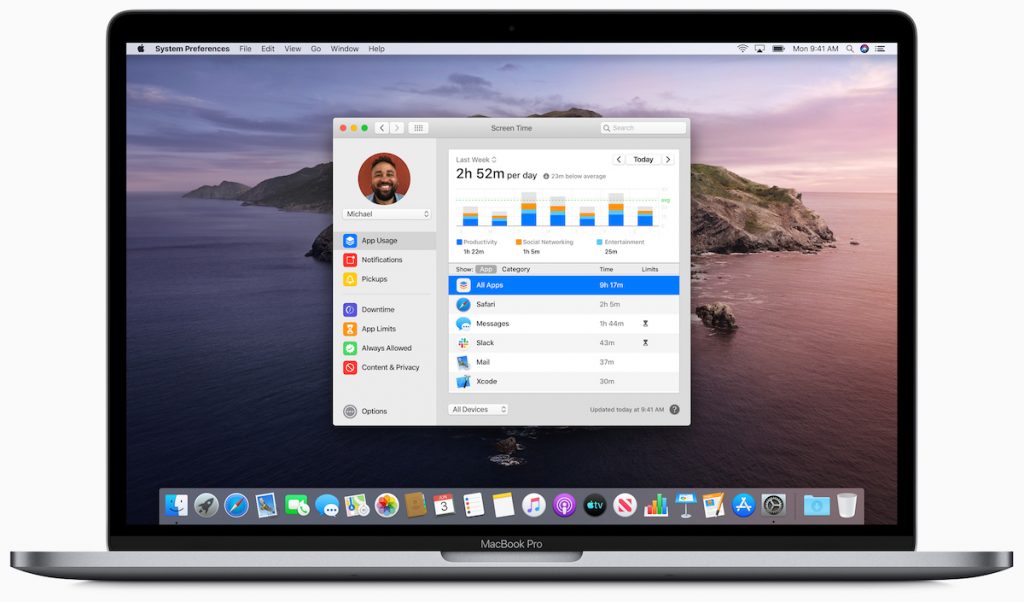
For instance, Catalina replaces the increasingly overloaded iTunes with three new apps that mimic those in iOS: Music, Apple Podcasts, and Apple TV. Reminders, Notes, and Photos also see significant enhancements that are mirrored on the iOS side, and a new Find My app on both platforms combines the capabilities of Find My iPhone and Find My Friends. Apple is even bringing Screen Time from iOS to the Mac to help you track and control your usage—and that of your kids—across all your Apple devices.

Some of these apps exist on the Mac thanks to Project Catalyst, an Apple technology that makes it easy for developers to convert iOS apps to the Mac. Apple used Catalyst internally last year to bring Home, News, Stocks, and Voice Memos to macOS 10.14 Mojave. This year, Apple is letting third-party developers use Catalyst, so once Catalina ships, we’ll see a flowering of new Mac apps coming over from iOS.
Another new technology, Sidecar, lets you use an iPad as a second screen for a Mac, either wired or wirelessly. Sidecar even enables you to use the iPad and Apple Pencil as a graphics tablet with apps that support such an input method. Two other new features will let you use a Sidecar-connected iPad to mark up any PDF or insert a sketch into a Mac document.

Catalina promises many more features, including some that will increase macOS security and others that will make the Mac much easier to use for people with disabilities. For instance, the new Voice Control capability lets you run a Mac (or an iOS device) entirely with your voice—it’s amazing.
If you’re running Mojave now, you’ll be able to run Catalina too since the system requirements remain the same.
iOS 13
With iOS 13, Apple appears to be focusing once again on performance and refinements. The company claimed we’ll see faster Face ID recognition, smaller app downloads and updates, and quicker app launches.
The most apparent new feature will be Dark Mode, which Apple is bringing over from Mojave. It displays light text on a dark background, which can be welcome when using an iOS device in a dark room without bothering others. It also may increase battery life on OLED-based iPhones like the iPhone X, XS, and XS Max. But keep in mind that research shows the human eye and brain prefer dark text on light backgrounds, so you may read more slowly and with less recall in Dark Mode.
Along with the apps mentioned previously that also improve in iOS, Apple said it has rebuilt Maps and its underlying database from the ground up, so you’ll see far more detailed maps, and you can zoom in for a street-level photographic view called Look Around.

Camera and Photos received attention as well, giving you faster access to effects and letting you apply effects to videos as well. You can even crop and rotate videos taken in the wrong orientation—finally!
Other improvements include a new Sign In with Apple option for signing in to apps using your Apple ID, full text formatting in Mail, shared folders in Notes, SMB sharing in Files, iCloud Drive folder sharing, and support for USB thumb drives.
In terms of system requirements, iOS 13 drops support for some older devices, leaving the iPhone 6s, 6s Plus, and SE as the oldest iPhones supported, along with just the newest iPod touch.
iPadOS
Joining Apple’s other operating systems this year is iPadOS, a superset of iOS 13 that provides additional iPad-only features. In some ways, it’s nothing new, since the iPad has always had unique features, but it shows how Apple wants to differentiate the iPad from the iPhone.
In iPadOS, the Home screen holds more icons in a tighter grid, and you can pin the Today View widgets on the side of the screen. Safari will be able to support complex Web apps like Google Docs, Squarespace, and WordPress, and it gains a download manager that lets you download files into the Files app.

Apple enhanced iPad multitasking so you can switch between apps in a Slide Over view, open multiple windows from the same app in Split View, and use App Exposé to navigate among your app combinations. Plus, text editing improves significantly, with direct access to the cursor and easier text selection, as well as new three-finger gestures for cut, copy, paste, and undo. The iPad even gets full-featured font management, and you’ll be able to buy fonts from the App Store.
iPadOS won’t work on many older iPad models, though it is compatible with all iPad Pro models, the fifth- and sixth-generation iPad, the iPad mini 4 and fifth-generation iPad mini, and the iPad Air 2 and third-generation iPad Air.
watchOS 6
With watchOS 6, Apple is working hard on health and fitness capabilities for the Apple Watch. The company has added a Noise app that can warn you when sounds approach dangerous levels and a Cycle Tracking app that helps women monitor their periods and predict windows of optimal fertility. And, the Activity app has picked up trending features so you can see how you’re doing across time in a number of health metrics.

Apple has also untethered the Apple Watch from the iPhone to an extent, allowing developers to create standalone watch apps that don’t require a companion iPhone app and opening an App Store for such apps that you can browse and search from your wrist.
Other new watchOS 6 apps include Audiobooks, Calculator, and Voice Memos. Plus, once you upgrade to watchOS 6, you’ll be able to choose from more faces and additional complications.
As with watchOS 5, watchOS 6 will work on all Apple Watch models other than the original unit, but not all features are available on all models.
tvOS 13
The big news for tvOS 13 is that it finally gets multi-user support, so everyone in a household will be able to have their own personalized experience. (Speaking of which, the HomePod will also support multiple users with iOS 13.)
Apple has redesigned the tvOS Home screen to show previews, added a slide-in Control Center like in iOS and watchOS, and updated the Music app to show lyrics in sync with the currently playing song. The screensaver also goes under the ocean so your cat can be entertained by all the fish.

Finally, in a move that will significantly enhance the forthcoming Apple Arcade game subscription service, both tvOS and iOS will support the Xbox One S and PlayStation DualShock 4 game controllers.
Mac Pro and Pro Display XDR
Although the Worldwide Developer Conference is mostly about Apple’s operating systems, the company took advantage of the keynote to show off the completely redesigned Mac Pro and its companion screen, the Pro Display XDR. The technical specs of both are astonishing—Apple has done what looks like a fabulous job of designing the most modular, flexible, and powerful Mac ever, combined with a display that competes against reference monitors costing tens of thousands of dollars.

The Mac Pro will rely on Intel Xeon W processors with 8 to 28 cores, and you’ll be able to configure it with up to 1.5 TB (that’s terabytes!) of RAM. It has eight PCI Express expansion slots, into which you can install MPX modules that contain up to four AMD Radeon Pro graphics cards for massive number crunching performance. Another slot can hold Apple’s new Afterburner accelerator card for ProRes and ProRes RAW video acceleration, and a half-length slot contains Apple’s I/O card with two USB-3 ports, two Thunderbolt 3 ports, and to 10 Gb Ethernet ports; there are two more Thunderbolt 3 ports on the top of the case. Storage starts at 256 GB of SSD and goes up to 4 TB.
All this fits into a stainless steel frame with an aluminum case that lifts off to provide access to all sides of the Mac Pro. It has a massive 1.4-kilowatt power supply and relies on three fans and a blower to keep the unit cool. It even has handles on the top and optional wheels in case you need to move it around regularly.

Accompanying the Mac Pro will be Apple’s first monitor in years, the Pro Display XDR. It’s a 32-inch 6K screen that supports P3 wide and 10-bit color that can display more than 1 billion colors accurately. It’s also incredibly bright and can sustain 1000 nits of full-screen brightness or peak at up to 1600 nits.

If your eyes glazed over reading those specs, this new hardware isn’t for you. Apple is aiming it at high-end professionals, the sort of people who happily spend many thousands of dollars on new hardware to enable faster video editing, data processing, or other performance-intensive tasks. The base-level Mac Pro will start at $6000, and the Pro Display adds another $5000. Even the Pro Stand (which provides tilt and height adjustment, plus rotates to portrait orientation) for the Pro Display costs $1000, so a tricked-out Mac Pro setup could easily exceed $20,000. So no, this is not a Mac for “the rest of us,” but it’s great to see Apple ensuring that the most demanding Mac users can stay on the platform.
(All images courtesy of Apple)
Social Media: Apple has previewed what’s coming with macOS 10.15 Catalina, iOS 13, watchOS 6, and tvOS 13 at its Worldwide Developer Conference, along with unveiling a new Mac Pro and the Pro Display XDR. Read on for what to expect in September!
Catching up with Apple in May: New MacBook Pros, New iPod touch, OS Updates
Apple is well known for its splashy media events, now usually held in the Steve Jobs Theater at the company’s new Cupertino campus. But Apple reserves such events for major announcements. Smaller announcements, such as minor updates to particular product lines, operating system updates, or new repair programs, get only a press release, if that.
But just because a change doesn’t merit much fuss doesn’t mean it’s uninteresting—if you’ve been waiting for the right moment to buy a new Mac, for instance, an announcement of a small MacBook Pro revision might be exactly what you want to hear.
Here’s a roundup of Apple’s recent announcements in May 2019.
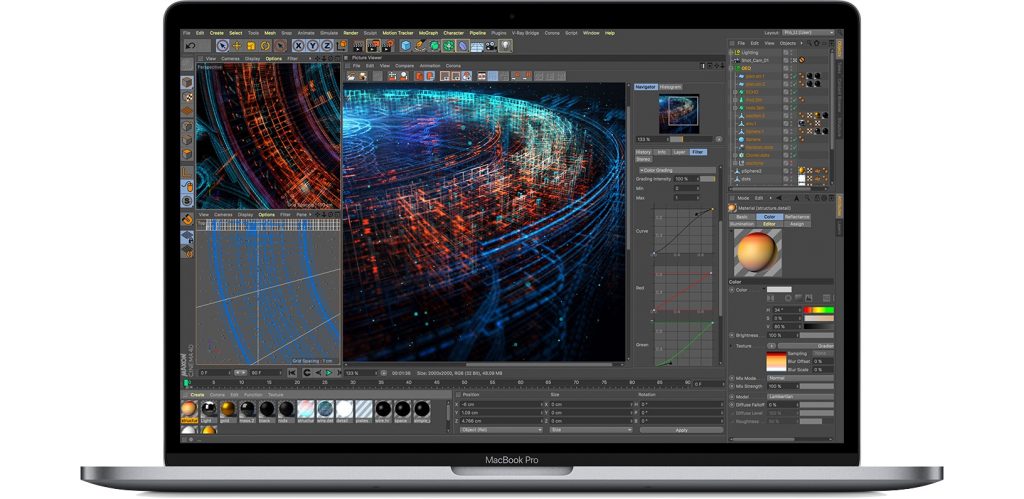
New MacBook Pro Models Feature Faster CPUs and New Butterfly Keyboards
Although Apple has a reputation for innovation, the company should also be lauded for its evolutionary changes, which are much more common. To wit, Apple quietly updated the 13-inch and 15-inch MacBook Pro models equipped with a Touch Bar with faster CPUs while keeping the prices the same.
You can now buy a 15-inch MacBook Pro with the latest 9th-generation 8-core Intel Core i9 processor, making it the fastest MacBook Pro ever—the previous model offered only a 6-core processor. The 15-inch models also offer faster graphics processors as options.

The 13-inch MacBook Pro models didn’t receive the same level of changes, but they gained slightly faster 8th-generation Intel processors that provide minor performance improvements.
Both models now come with the fourth generation of Apple’s controversial butterfly keyboard. We’ll have more on that issue soon.
Apple Launches MacBook Pro Repair Program for “Flexgate”
13-inch MacBook Pros from 2016 are susceptible to a display-related problem the press has dubbed “Flexgate.” According to Apple, affected Macs exhibit one or both of these symptoms:
- The display backlight continuously or intermittently shows vertical bright areas along the entire bottom of the screen.
- The display backlight stops working completely.
The problem is related to a flex cable connected to the display that’s too short and too fragile; some repair experts have suggested that failure is inevitable.
If your 13-inch Mac is showing either of these symptoms, you can now take advantage of Apple’s new 13-inch MacBook Pro Display Backlight Service Program to get a free repair. You can have your Mac fixed by Apple or an Apple Authorized Service Provider, and if you already paid for a repair, you can request a refund from Apple.
iOS 12.3 and tvOS 12.3 Add New TV App; iOS 12.3.1 Fixes Calling Bug; macOS Addresses ZombieLoad
As you’ve no doubt noticed in your Software Update notifications, Apple recently updated all its operating systems: iOS 12.3.1, macOS 10.14.5, watchOS 5.2.1, and tvOS 12.3. If you’re already running iOS 12 and macOS 10.14 Mojave, it’s fine to update.
iOS 12.3 and tvOS 12.3 are notable primarily because they include a new version of Apple’s TV app. This app now provides access to “channels,” by which Apple means subscription-based streaming video services like HBO and Showtime. Apart from letting you subscribe to such services inside the app and playing content from them in the app, the new app looks and works much like the previous version. The new app will also support Apple’s original content on the Apple TV+ service later this year.

Shortly after iOS 12.3 shipped, Apple released iOS 12.3.1, which fixes a critical bug that could prevent your iPhone from making or receiving phone calls. So if you upgraded to iOS 12.3, be sure to update to iOS 12.3.1 right away.
Similarly, it’s worth updating to macOS 10.14.5 to protect against a security vulnerability called ZombieLoad, and if you’re still running 10.12 Sierra or 10.13 High Sierra, be sure to install Security Update 2019-003 for the same protection.
New iPod touch Gains the A10 Chip and a 256 GB Configuration
Finally, Apple showed a little love to the littlest iOS device, the diminutive iPod touch. In the new model, Apple swapped the old A8 chip for a faster A10 chip that promises up to twice the performance. That added performance enables the new iPod touch to support Group FaceTime calls and enhanced augmented reality (AR) games.

The only other change in the iPod touch is that Apple now sells a 256 GB configuration for $399, joining the 32 GB configuration at $199 and the 128 GB configuration for $299.
(All images courtesy of Apple)
Social Media: If you haven’t been paying close attention, you might have missed Apple’s new MacBook Pros, new iPod touch, support for other streaming services in the TV app in iOS 12.3 and tvOS 12.3, and a repair program for “Flexgate.” Read on for details:
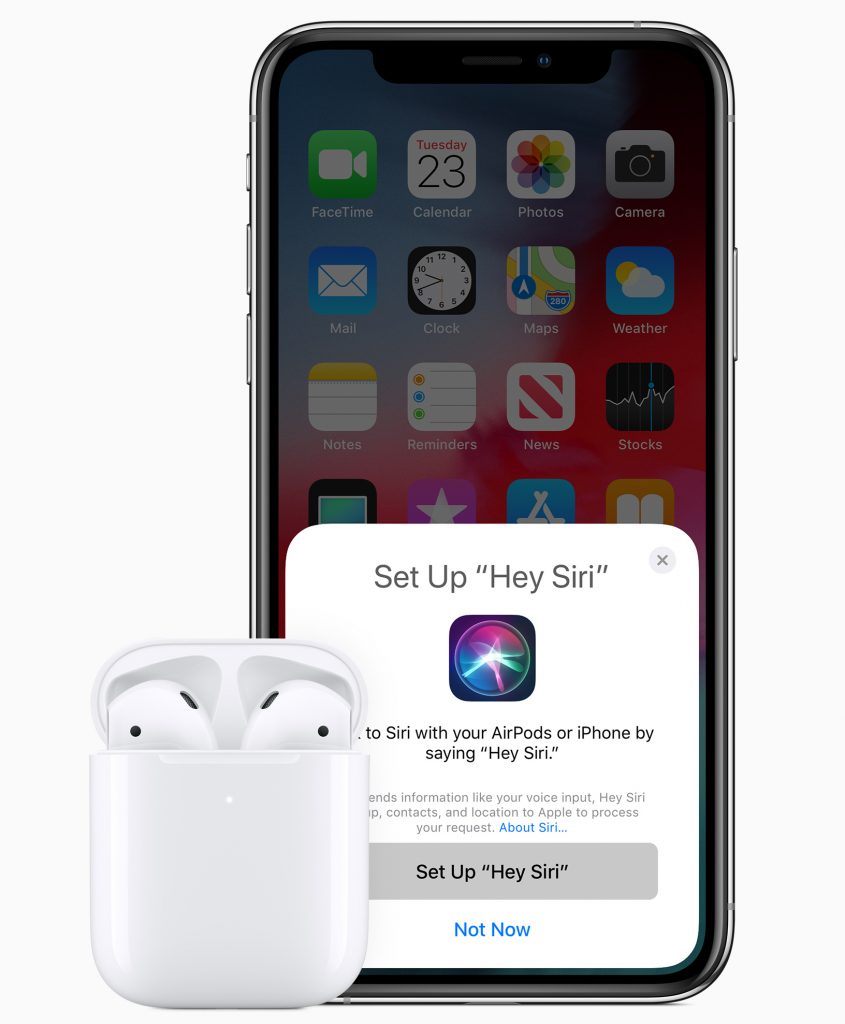
Apple’s New AirPods Add “Hey Siri,” More Talk Time, and Optional Wireless Charging
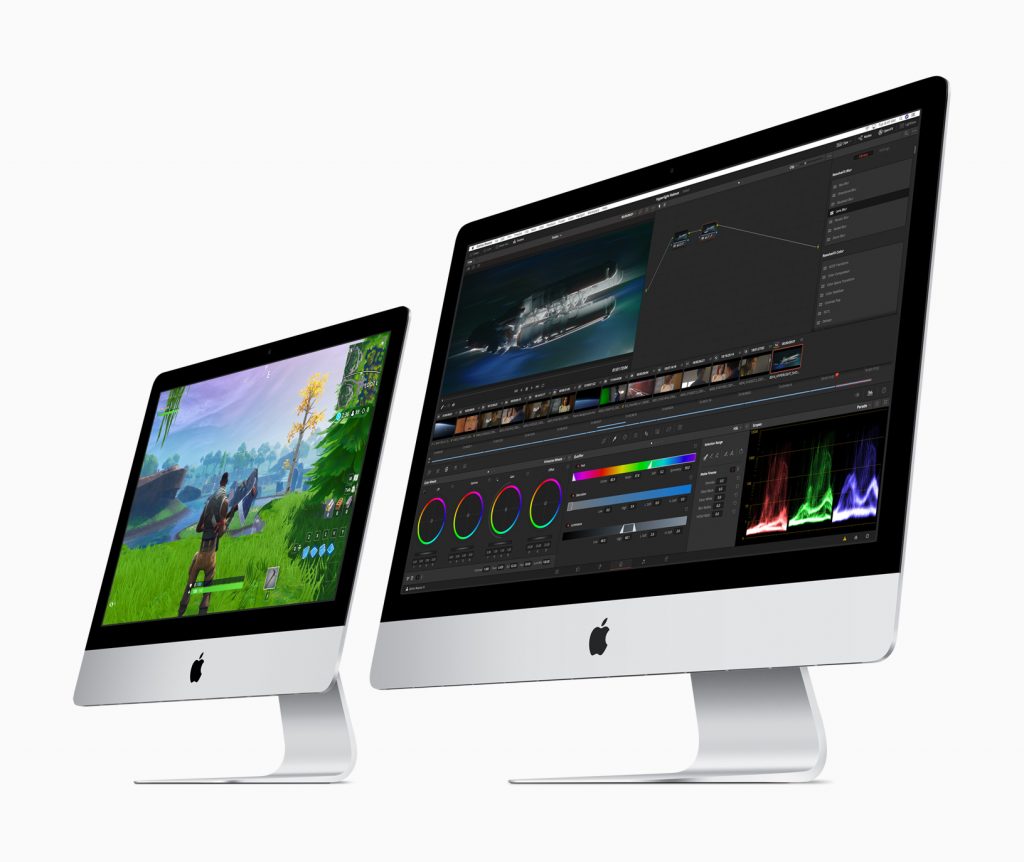
Considering a New iMac? Wait No Longer—Updates Are Here!
Apple Updates iPad Lineup with new iPad mini and iPad Air
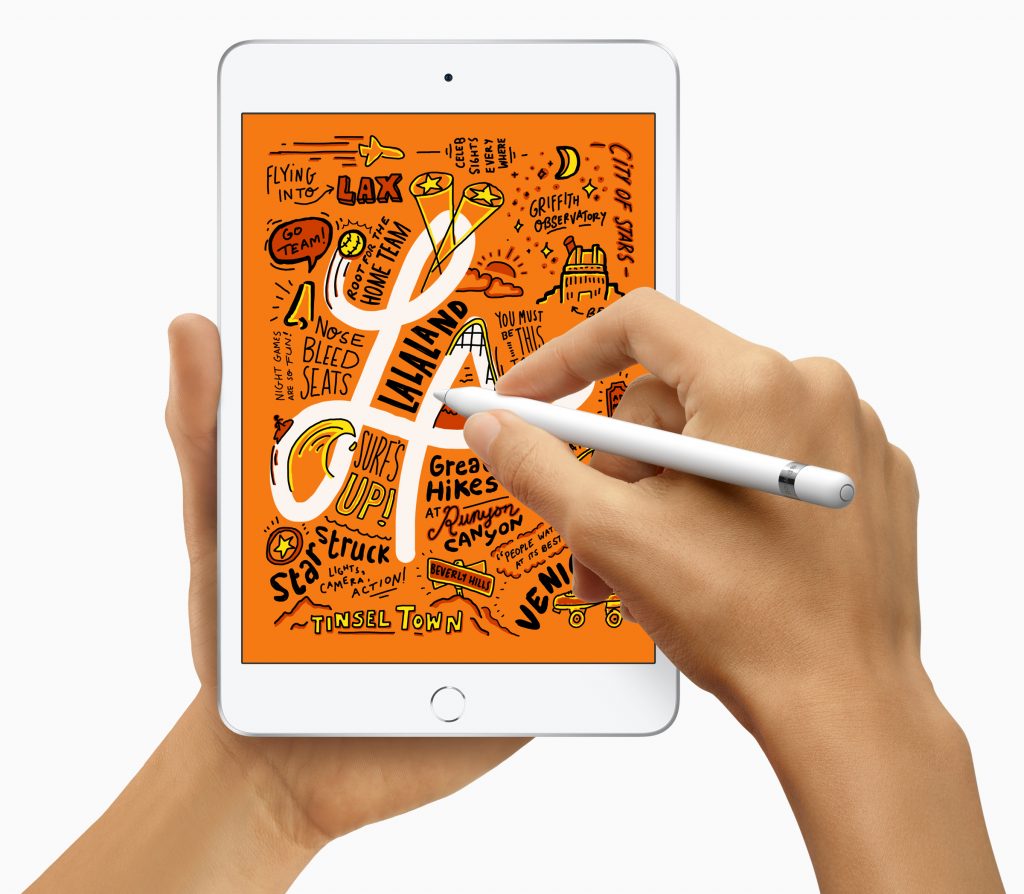
iPad mini lovers, rejoice! If you’ve been holding onto an aging iPad mini because of its small size, you’ll be happy to learn that Apple has at long last released a new 7.9-inch iPad mini with modern-day technologies. Joining it in the lineup is a new 10.5-inch iPad Air that turns out to be a retooled iPad Pro for a lot less money.
iPad mini Gains A12 Bionic Chip and Apple Pencil Support
It has been hard to recommend the iPad mini 4—last updated in September 2015—for several years now because its hardware was increasingly long in the tooth, and Apple hadn’t seemed enthused about updating it.
That has all changed with the fifth-generation iPad mini, which boasts the same speedy A12 Bionic chip that powers today’s iPhone XR, XS, and XS Max. It provides over three times the performance as the iPad mini 4’s A8 chip and graphics that are nine times faster. The other huge change is that the iPad mini now lets you use the $99 Apple Pencil for drawing, taking notes, and more. Note that the iPad mini supports only with the first-generation Apple Pencil, not the second-generation model that’s specific to last year’s iPad Pro models.
Other welcome, but less notable, changes include a screen that is 25% brighter, displays more colors, and supports Apple’s True Tone technology for matching the color temperature of the screen to the light in your surroundings. The Wi-Fi + Cellular model of the iPad mini also now supports faster gigabit-class LTE connections and the improved Bluetooth 5.0.
The basic specs of the rear-facing camera on the new iPad mini haven’t changed—it’s still an 8-megapixel camera—but it likely takes better photos and videos thanks to the A12 Bionic chip’s computational photography capabilities. Plus, the front-facing FaceTime HD camera can now capture 1080p video at 30 frames per second for better FaceTime calls.
You can order the iPad mini now in silver, space gray, and gold. For 64 GB of storage, a Wi-Fi–only model costs $399, whereas a 256 GB model is $549. Adding cellular connectivity bumps the prices to $529 and $679.
iPad Air Lowers the 10.5-inch iPad Pro Price with a Less-Capable Camera

Despite its name, the new 10.5-inch iPad Air has far more in common with the now-discontinued 10.5-inch iPad Pro from 2017 than it does with the 9.7-inch iPad Air 2 from 2014.
Apple has clearly taken the iPad Pro and modernized it with the current A12 Bionic chip, gigabit-class LTE, eSIM, and Bluetooth 5.0. But to cut $150 from the iPad Pro’s $649 starting price, Apple replaced the iPad Pro’s rear-facing camera with a less-capable model and traded the quad speaker system for stereo speakers. That’s not to say that the iPad Air’s rear-facing camera is a problem—it’s the same 8-megapixel camera as in the iPad mini—it’s just not at the level of the 12-megapixel camera that was in the 10.5-inch iPad Pro.
Like the old iPad Pro, the iPad Air supports the first-generation Apple Pencil and the original $159 Smart Keyboard (again, not the Smart Keyboard Folio for the 2018 iPad Pro models).
As with the iPad mini, Apple offers only two tiers of storage, 64 GB for $499 and 256 GB for $649, and the cellular option increases the pricing to $629 and $779. The color choices are again silver, space gray, and gold.
Other iPads
Apple’s slate of iPads makes a lot of sense now, with this new fifth-generation iPad mini and third-generation iPad Air joining the sixth-generation iPad and the 11-inch iPad Pro and third-generation 12.9-inch iPad Pro.
If you want small, get an iPad mini. If you want cheap, buy the iPad. If you’re looking for a bigger screen or Apple keyboard (the Smart Keyboard is excellent), go for the iPad Air. And if you have the budget, the 11-inch and 12.9-inch iPad Pro models are fabulous. Apple has a helpful online comparison tool, or feel free to ask us what we’d recommend for you.
Social Media: After more than three years, Apple has updated the beloved iPad mini with modern-day specs and Apple Pencil support, and the company also released an iPad Air that’s essentially a retooled iPad Pro. Learn more at:
Apple Finally Updates the MacBook Air and Mac mini, and Revamps the iPad Pro
At a special event at the Brooklyn Academy of Music, Apple threw back the curtains on significant updates to the long-ignored MacBook Air and even longer-ignored Mac mini. Then Tim Cook and company followed up with revamped 11-inch and 12.9-inch iPad Pros, complete with an enhanced Smart Keyboard Folio and redesigned Apple Pencil. You can order all of Apple’s new gear right away, though demand may delay shipping for a week or two on some items.
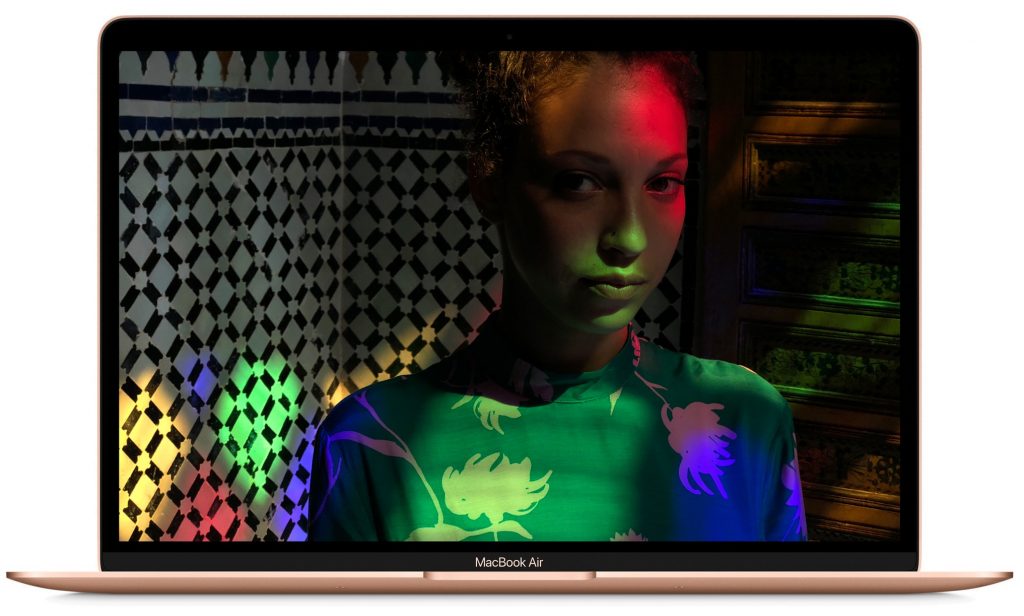
MacBook Air Gains Retina Display and Touch ID
When Steve Jobs introduced the MacBook Air in 2008 by pulling it out of an envelope, it set the standard for the ultralight notebook category. But Apple has focused on the high-end MacBook Pro line of late, making this major revision extremely welcome.
Retina Display and Touch ID
Most notably, the new MacBook Air features a 13.3-inch Retina display that’s far crisper than the previous model’s screen. Although the screen is the same size as before, Apple eliminated the aluminum bezel around it, taking the screen much closer to the edge. That let the company reduce the MacBook Air’s size, making it almost an inch (2.1 cm) less wide and more than half an inch (1.5 cm) less deep. Even more important, Apple dropped the weight by almost a quarter pound (100 g). It’s noticeably smaller and lighter now.

The other major improvement in the MacBook Air is the addition of a Touch ID sensor in the upper-right corner of the keyboard. Rather than typing your password to log in, you can just place your finger on the Touch ID sensor. It also works to unlock some apps like 1Password. To support the Touch ID sensor, the MacBook Air includes Apple’s T2 security chip, which prevents the boot process from being tampered with, encrypts all data on the SSD, and enables “Hey Siri.”
Evolutionary Updates
Many of the remaining changes just bring the MacBook into the modern age. It sports two Thunderbolt 3 ports on the left side for charging and connecting peripherals, and a headphone jack on the right side—all the previous ports are gone. The keyboard is the same one used in the most recent update to the MacBook Pro, which isn’t universally loved—if you’re particular about keyboards, give this one a try before buying. Apple also replaced the old Multi-Touch trackpad with a larger Force Touch trackpad that’s more responsive and provides additional capabilities.

By default, the MacBook Air comes with 8 GB of RAM and a 128 GB SSD. You can jump to 16 GB for $200, and we generally recommend that. Similarly, you can upgrade the storage to 256 GB for $200, 512 GB for $400, or 1.5 TB for $1200.
We haven’t mentioned performance yet. Apple says only that the MacBook Air’s 1.6 GHz dual-core Intel Core i5 processor delivers “the performance you need for everyday activities like organizing your photos, browsing the Web, creating presentations or viewing and editing videos.” Since Apple never misses the chance to say how much faster a new Mac is than the model it replaces, we have to assume that the new MacBook is no faster than the old one. Hopefully, benchmarks will appear soon.
Price
The new MacBook Air comes in silver, gold, and space gray, and pricing starts at $1199 for 8 GB of RAM and 128 GB of storage. If performance is important to you, however, you should consider the non-Touch Bar 13-inch MacBook Pro, which costs only $100 more and is just a bit heavier. And if you’re willing to settle for older technology and a larger form factor, note that the old MacBook Air remains for sale starting at $999. Finally, the 12-inch MacBook also remains in the lineup, but at $1299, it’s overpriced and underpowered, and thus interesting only if you want the smallest possible Mac.
Mac mini Goes Pro with Massive Performance Boost
Apple updated the MacBook Air for consumers and students, but the company is aiming the revamped Mac mini at professional users. This update, the first in over 4 years, takes a cue from the similarly pro-focused iMac Pro in changing the color from silver to space gray, but otherwise it retains the same form factor—7.7 inches (19.7 cm) square and 1.4 inches (3.6 cm) high.

Speeds and Feeds
What has changed are the guts of the Mac mini, which offer huge performance gains over the previous version from 2014. Those improvements come from eighth-generation Intel Core processors: a base 3.6 GHz 4-core i3, a mid-level 3.0 GHz 6-core i5, and a top-of-the-line 3.2 GHz 6-core i7. Apple claims up to five times the performance of the previous Mac mini and up to 60% speedier graphics performance thanks to the integrated Intel UHD Graphics 630.
You won’t lack for RAM or storage either. The Mac mini comes with 8 GB of RAM, but you can upgrade to 16 GB ($200), 32 GB ($600), or 64 GB ($1400). Less expensive memory is available from other vendors. While the Mac mini’s base 128 GB of SSD storage might be adequate if all your data is stored on a NAS device, you can upgrade to 256 GB ($200), 512 GB ($400), 1 TB ($800), or 2 TB ($1600). That storage is automatically encrypted thanks to the Mac mini’s T2 security chip, which also speeds HEVC video transcoding.
While Apple’s notebooks have been shedding ports, the Mac mini has bucked the trend. It features four Thunderbolt 3 ports, an HDMI 2.0 port, two USB-A ports, an audio jack, and a Gigabit Ethernet jack, with 10 Gigabit Ethernet as an option. Thanks to the Thunderbolt 3 and HDMI ports, you can connect either a 5K display and a 4K display, or three 4K displays.

Price
All this power comes at a price. The new Mac mini starts at $799 for the 3.6 GHz 4-core Intel Core i3, 8 GB of RAM, and 128 GB of storage. However, build-to-order options for a faster processor, more RAM, and more storage could raise the price to a whopping $4199.
Nonetheless, the Mac mini is once again an attractive option for anyone who already has a good display, keyboard, and mouse, none of which are included. It’s also ideal for those who want to stuff a Mac into a tight space, bring it on stage for a live performance, or stack a bunch of them for rendering video.
11-inch and 12.9-inch iPad Pro Boast New Screens and Redesigned Apple Pencil
As welcome as the MacBook Air and Mac mini updates were, Apple really knocked it out of the park with its new iPad Pro models, which are the most significant changes to the iPad line yet.

Face ID Enables Physical Redesigns
Like the iPhone X series, these new iPad Pros drop Touch ID in favor of Face ID authentication. The 7-megapixel TrueDepth camera on the front of the iPad Pro that makes Face ID possible also enables support for Portrait mode, Portrait Lighting, and Animoji and Memoji.
Losing the Home button enabled Apple to bring the display closer to the edge of the iPad. With the 11-inch iPad Pro (the measurement is the diagonal screen size), that means a larger display in roughly the same form factor as the older 10.5-inch model (which remains for sale). And with the 12.9-inch iPad, Apple kept the display size the same as before but shrank the height of the case by almost an inch so it’s now the size of an 8.5-by-11-inch piece of paper and a little lighter.
Apple also changed the industrial design slightly, reverting to the flat edges last seen in the iPhone 5s. One of those edges sports a magnetic attachment area and wireless charging spot for the redesigned Apple Pencil.
Speaking of charging, Apple broke with tradition and dropped the Lightning connector in favor of the industry-standard USB-C for charging and connecting to peripherals. That will make it easier to connect to an external display. You may also need a $9 USB-C-to-3.5mm headphone jack adapter.
Incremental Changes
Those are the most obvious new features, but some of the more evolutionary changes will be equally as welcome. Most notable is the new A12X Bionic chip with embedded M12 coprocessor and Neural Engine. This Apple-designed chip is reportedly faster than 95% of laptops available today, and it gives the iPad Pro unparalleled performance among iOS devices.
That performance also powers the improved 12-megapixel rear camera, giving it enhanced computational photography capabilities, like Smart HDR, which takes multiple images and combines them intelligently for the best possible exposure. On-screen performance is improved, and everything will look better than ever before thanks to a new Liquid Retina display that features Apple’s True Tone and ProMotion technologies. In a classic Apple touch, the screen now features rounded corners.

Accessories
Along with the revamped iPad Pro models, Apple introduced a new Smart Keyboard Folio that improves on the previous Smart Keyboard by wrapping around to protect the back of the iPad Pro as well. It uses a redesigned Smart Connector and provides two viewing angles.
More impressive is the new Apple Pencil, which now features a flat, touch-sensitive surface that you can double-tap to change drawing modes in many apps. That flat surface also makes it easy to attach to the edge of the iPad Pro magnetically so you won’t lose it and where it charges wirelessly. The easy-to-lose cap is gone, as is the Lightning connector, so the Apple Pencil is now shorter and more pencil-like—it won’t roll off the desk anymore.

Price
How much will all this goodness cost? By the time all is said and done, you’ll be in MacBook Air range. The 11-inch iPad Pro starts at $799 for a Wi-Fi-only model with 64 GB of storage. 256 GB runs $949, 512 GB is $1149, and 1 TB will set you back $1549. Add $150 if you want cellular connectivity in any of these configurations.
For the 12.9-inch iPad Pro, add $200, so $999 for 64 GB, $1149 for $256 GB, $1349 for 512 GB, and $1749 for 1 TB. Cellular puts another $150 on the tab. Both sizes of iPad are available in either silver or space gray.
The new Apple Pencil costs $129, and the Smart Keyboard Folio is either $179 for the 11-inch model or $199 for the 12.9-inch model.
Remember, you can still get a regular iPad for as little as $329 and the original Apple Pencil is only $99, so if all you want is an iPad, you don’t need to spring for an iPad Pro. But if you’re using an iPad Pro as your primary work device and are willing to pay for the power, these new models are compelling upgrades.