
This Is Hands-Down the Easiest Way to Give Someone Your Wi-Fi Network Password

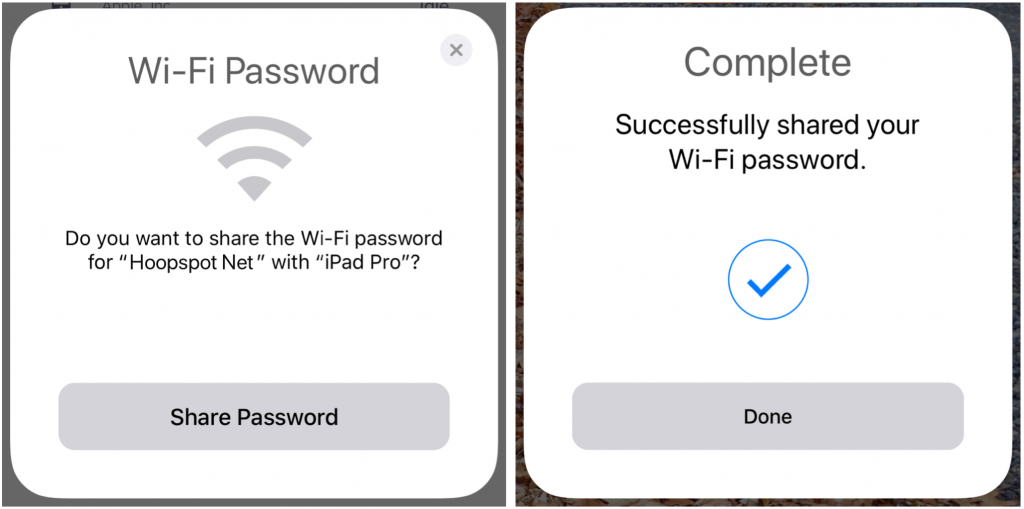
You know the drill—a friend comes to visit and wants to get on your Wi-Fi network. You’ve written the password down somewhere, but where? Even if you have it handy, it’s a pain for your friend to type in. Since macOS 10.13 High Sierra and iOS 11, Apple’s operating systems can make connecting a lot easier. Have your guest choose your network, and then put their device next to one of your devices that’s awake and connected to the Wi-Fi network. As long as you have a card in your Contacts app whose name matches your friend’s My Card in their Contacts, your device should ask if you want to share the Wi-Fi password with them. Just tap Share Password when prompted and you’re done!
Not sure your Macs are ready for what’s next?
Book a free, no-pressure call. We’ll review your fleet, flag what needs attention, and you’ll leave with a plan either way.
Let’s Talk →Apple news worth your inbox.
One monthly note on the updates that actually affect your workplace. No noise.
Keep reading

Intel-Based Apps Will Stop Working in macOS 28

Be Alert for Deepfake Phishing Scams
