
Uncategorized
Here’s How to Teleport to a Specific Mac Folder While Opening or Saving

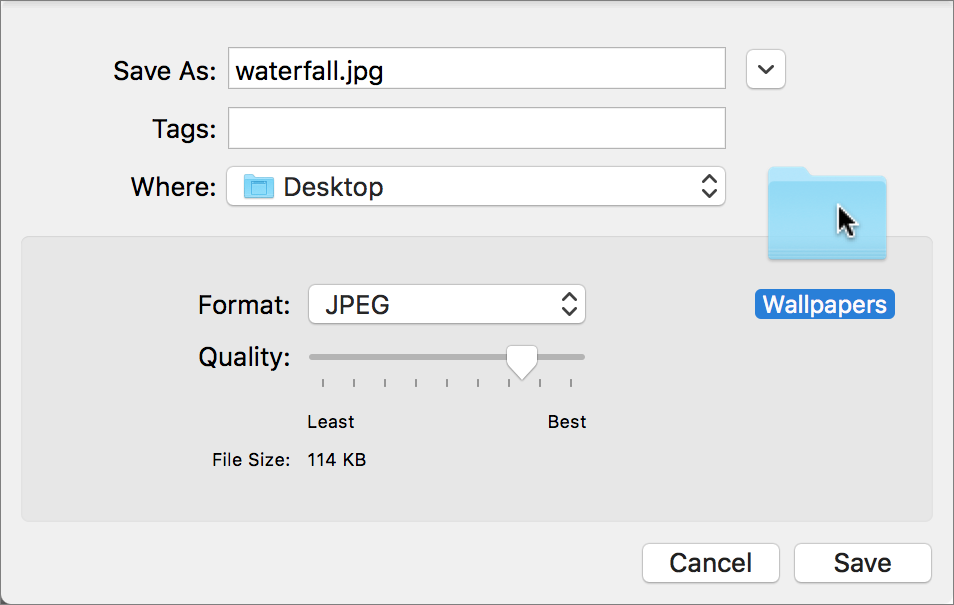
Ever wanted to jump to a particular folder on your Mac while opening or saving a file? You can, thanks to a clever Finder trick. Whenever you have an Open or Save dialog open in an app, switch to the Finder, find the folder you want to access, and drag its icon into the dialog. Presto—instant navigation to that folder! This trick even works if you drag the proxy icon—the little icon in the title bar of any window—for any folder.
Apple Premium Technical Partner
Deep Apple expertise, wherever your team works.
Not sure your Macs are ready for what’s next?
Book a free, no-pressure call. We’ll review your fleet, flag what needs attention, and you’ll leave with a plan either way.
Let’s Talk →The CreativeTechs Way
Apple news worth your inbox.
One monthly note on the updates that actually affect your workplace. No noise.
Keep reading

Uncategorized
Never lose a Word document again
February 3, 2026 · 2 min read

Uncategorized
Don’t Miss Out: Claim Up to $1.25M in Tax Savings by Upgrading Your Tech Before Dec 31
October 31, 2025 · 2 min read
Uncategorized
Software Updates: Your Digital Immune System
October 23, 2025 · 2 min read